
How I Built Google OAuth for a Real SaaS (Next.js + Auth.js) — CreatorCopilot Part 2
nextjs
Learn how to implement production-ready Google OAuth in Next.js using Auth.js (NextAuth v5) with App...
104
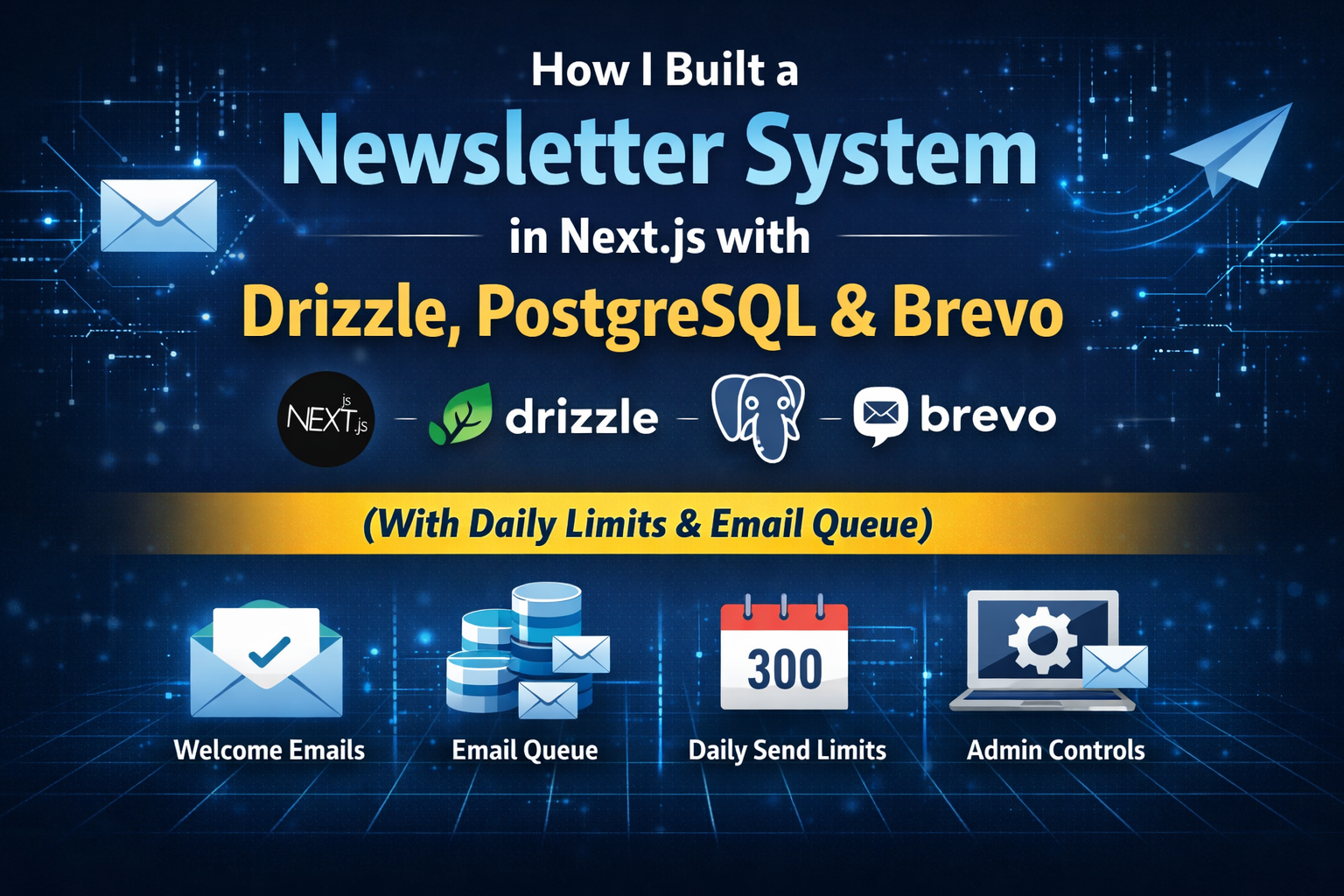
Step-by-step guide to building a Next.js newsletter system with Drizzle ORM, Postgres, Brevo SMTP, email queue architecture, and daily send limits.
So I built it directly into my Next.js app, using:
Next.js (App Router)
Drizzle ORM
PostgreSQL
SMTP (Brevo free plan)
Admin-protected APIs
A simple queue system in the database
This post breaks down the entire system — architecture, environment config, quota guard, batching, and real-world issues I had to fix.
Most tutorials stop at “send one email.” That’s not production.
Here’s what I required:
Subscribe must always work
Email failure should never block database insert.
Welcome email must be automatic
But best-effort — not transactional-critical.
Campaigns must be queued
No sending 500 emails in one loop blindly.
Daily quota must be enforced
Brevo free plan has limits.
Admin visibility
I should see: queued / sent / failed / paused.
No localhost links in emails
Ever.
No duplicate active campaign for the same blog.
That’s what this system does.
Minimal .env setup:
# Core
DATABASE_URL=postgresql://user:password@host:5432/dbname
NEXT_PUBLIC_SITE_URL=https://blogs.sagarsangwan.dev
EMAIL_PUBLIC_SITE_URL=https://blogs.sagarsangwan.dev
# Admin Auth
ADMIN_USERNAME=admin
ADMIN_PASSWORD=change-me
JWT_SECRET=replace-with-a-long-random-secret
# SMTP (Brevo)
SMTP_HOST=smtp-relay.brevo.com
SMTP_PORT=587
SMTP_SECURE=false
SMTP_USER=your-brevo-smtp-login
SMTP_PASS=your-brevo-smtp-key
SMTP_FROM_EMAIL=no-reply@yourdomain.com
SMTP_FROM_NAME=Sagar's Blog
# Email Queue Controls
EMAIL_DAILY_LIMIT=300
EMAIL_BATCH_SIZE=50
Important details:
SMTP_FROM_EMAIL must be verified in Brevo.
Always use EMAIL_PUBLIC_SITE_URL in templates to prevent localhost leaks.
Never trust defaults blindly.
I introduced three tables:
EmailCampaign
Campaign-level metadata (status, blogId, totals)
EmailCampaignRecipient
Per-recipient queue tracking
EmailSendLog
Every send attempt — also used for daily quota tracking
This gives:
Visibility
Batch processing capability
Quota tracking
Failure auditing
Without this structure, you’re flying blind.
One small file saved me from future chaos.
export const DEFAULT_EMAIL_DAILY_LIMIT = 300;
export const DEFAULT_EMAIL_BATCH_SIZE = 50;
const DEFAULT_SITE_URL = "https://blogs.sagarsangwan.dev";
export function getEmailDailyLimit() {
  const raw = process.env.EMAIL_DAILY_LIMIT?.trim();
  const parsed = raw ? Number(raw) : DEFAULT_EMAIL_DAILY_LIMIT;
  if (!Number.isFinite(parsed) || parsed <= 0) return DEFAULT_EMAIL_DAILY_LIMIT;
  return Math.floor(parsed);
}
export function getEmailBatchSize() {
  const raw = process.env.EMAIL_BATCH_SIZE?.trim();
  const parsed = raw ? Number(raw) : DEFAULT_EMAIL_BATCH_SIZE;
  if (!Number.isFinite(parsed) || parsed <= 0) return DEFAULT_EMAIL_BATCH_SIZE;
  return Math.floor(parsed);
}
export function getSiteUrl() {
  const candidates = [
    process.env.EMAIL_PUBLIC_SITE_URL?.trim(),
    process.env.NEXT_PUBLIC_SITE_URL?.trim(),
    DEFAULT_SITE_URL,
  ].filter(Boolean) as string[];
  for (const candidate of candidates) {
    try {
      const parsed = new URL(candidate);
      const hostname = parsed.hostname.toLowerCase();
      if (
        hostname === "localhost" ||
        hostname === "127.0.0.1" ||
        hostname === "0.0.0.0"
      ) continue;
      return candidate.replace(/\/+$/, "");
    } catch {
      continue;
    }
  }
  return DEFAULT_SITE_URL;
}
This prevented:
Broken links
Invalid env crashes
Accidental local URLs in production emails
The sender handles three responsibilities:
Validate SMTP configuration
Check daily quota
Log success or failure
Core idea:
export async function sendEmail(input: SendEmailInput): Promise<SendEmailResult> {
  const from = getFromAddress();
  const transporter = await getTransporter();
if (!from || !transporter) {
    await writeSendLog({
      kind: input.kind,
      recipient: input.to,
      status: "failed",
      campaignId: input.campaignId,
      error: "SMTP is not configured."
    });
    return { ok: false, reason: "smtp_not_configured" };
  }
  const quota = await getEmailQuotaStats();
  if (quota.remaining <= 0) {
    return { ok: false, reason: "quota_exceeded" };
  }
  try {
    await transporter.sendMail({
      from,
      to: input.to,
      subject: input.subject,
      html: input.html,
      text: input.text,
    });
    await writeSendLog({
      kind: input.kind,
      recipient: input.to,
      status: "sent",
      campaignId: input.campaignId
    });
    return { ok: true };
  } catch (error) {
    await writeSendLog({
      kind: input.kind,
      recipient: input.to,
      status: "failed",
      campaignId: input.campaignId,
      error: error instanceof Error ? error.message : "SMTP failed"
    });
    return { ok: false, reason: "send_failed" };
  }
}
No fire-and-forget.
Everything is observable.
Templates are separated from logic.
export function buildWelcomeEmail(email: string) {
  const siteUrl = getSiteUrl();
const subject = "Welcome to Sagar's Blog Newsletter";
  const html = `
    <div style="font-family: Inter, Arial; line-height: 1.6;">
      <h2>You're in 🎉</h2>
      <p>Thanks for subscribing with <strong>${email}</strong>.</p>
      <a href="${siteUrl}"
         style="background:#2563eb;color:#fff;padding:10px 14px;border-radius:8px;text-decoration:none;">
        Read latest posts
      </a>
    </div>
  `;
  const text = `You're in. Read latest posts at ${siteUrl}`;
  return { subject, html, text };
}
Business logic:
export async function sendWelcomeEmail(email: string) {
  const template = buildWelcomeEmail(email);
return sendEmail({
    to: email,
    subject: template.subject,
    html: template.html,
    text: template.text,
    kind: "welcome",
  });
}Critical principle:
Database insert must never depend on SMTP success.
await db.insert(newsletter).values({
  id: randomUUID(),
  email,
});
const welcomeResult = await sendWelcomeEmail(email);
return NextResponse.json({
  success: true,
  emailStatus: welcomeResult.ok ? "sent" : "failed",
});
If SMTP breaks, subscription still succeeds.
Conversion is protected.
When admin clicks “Send Mail”:
Create campaign record
Enqueue active subscribers
Process first batch
Remaining batches via “Process Batch”
Duplicate campaign guard:
const existingActiveCampaign = await db
  .select({ id: emailCampaign.id })
  .from(emailCampaign)
  .where(
    and(
      eq(emailCampaign.blogId, currentBlog.id),
      inArray(emailCampaign.status, ["queued", "sending", "paused"]),
    ),
  )
  .limit(1);
if (existingActiveCampaign[0]) {
  throw new Error("An active campaign already exists.");
}
Quota protection:
if (quota.remaining <= 0) {
  await db.update(emailCampaign)
    .set({ status: "paused", lastError: "Daily limit reached" })
    .where(eq(emailCampaign.id, campaignId));
return;
}Two routes:
POST /api/admin/email-campaigns
POST /api/admin/email-campaigns/[id]/process
No cron.
No worker.
Manual control.
At this stage, that’s enough.
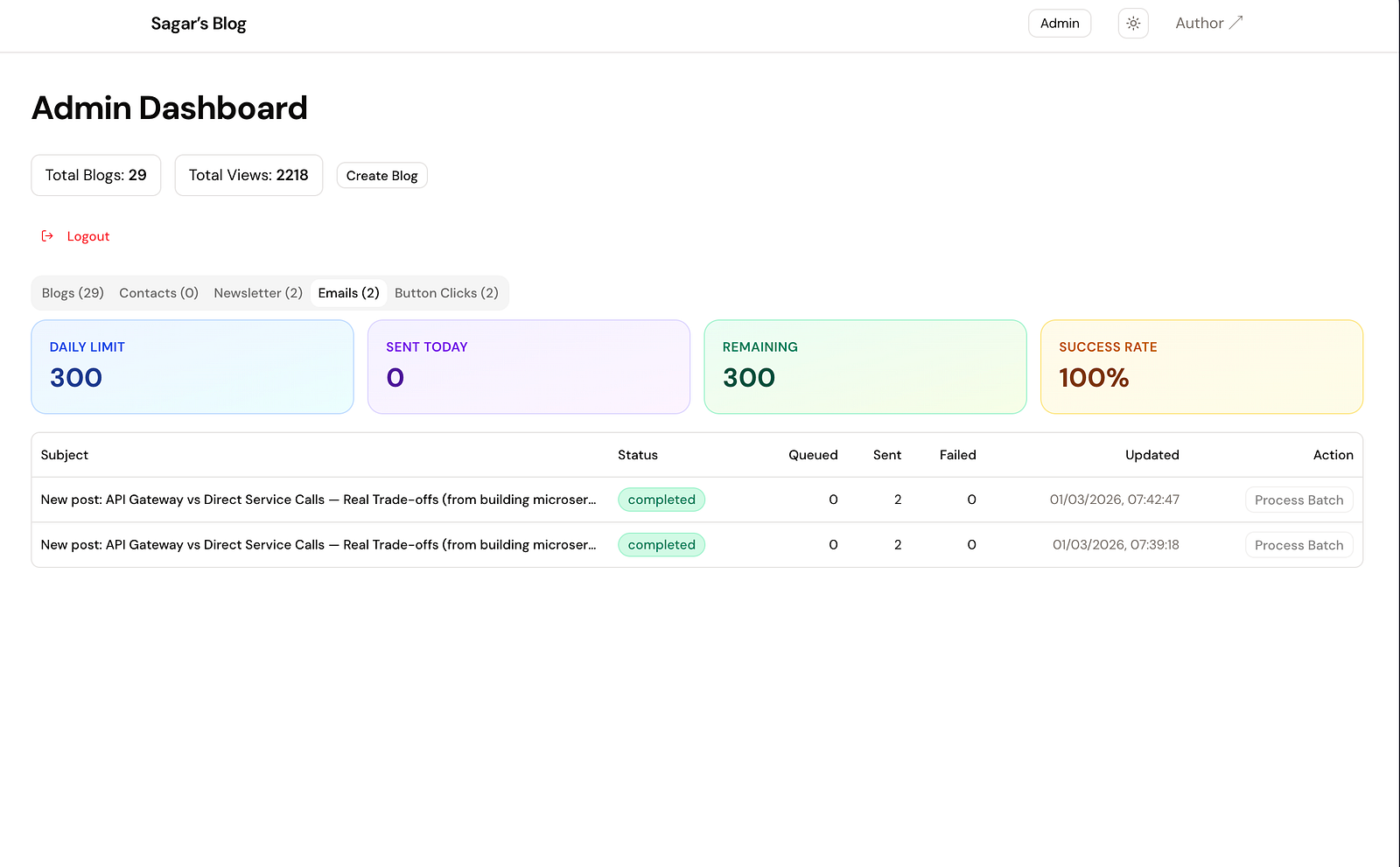
Added:
Send Mail button per blog
Email tab in dashboard
Daily limit stats
Sent today
Remaining
Success rate
Campaign status table
Process Batch action
Email stopped being a black box.
It became operational.
Localhost links in emails
Solved via EMAIL_PUBLIC_SITE_URL filtering.
Null ID constraint
Explicit randomUUID() inserts fixed it.
Redis env mismatches
Supported legacy names.
SMTP misconfig breaking subscribe
Switched to best-effort welcome logic.
Every one of these would have caused silent production bugs.
Production-safe subscription flow
Welcome emails without blocking DB
Campaign queue in database
Daily quota enforcement
Admin control
Failure observability
No overengineering
For now:
Webhook ingestion
Retry workers
Cron scheduler
Background job runner
At this stage, manual batch processing is predictable and sufficient.
Don’t automate what you don’t yet need.
This is not toy newsletter code.
It’s a practical middle layer between hobby blog and full marketing stack.
You get:
Queueing
Quota protection
Observability
Admin control
Production safety
Without introducing Kafka, workers, and DevOps complexity on day one.
That balance — simple but operational — is exactly what I was aiming for.
🔥 Found this blog post helpful? 🔥
If you enjoyed this article and found it valuable, please show your support by clapping 👏 and subscribing to my blog for more in-depth insights on web development and Next.js!
Subscribe here: click me
🚀 Follow me on:
🌐 Website: sagarsangwan.dev
🐦 Twitter/X: @sagar sangwan
🔗 LinkedIn: Sagar Sangwan
📸 Instagram: @codingbysagar
▶️YouTube: @codingbysagar
Your encouragement helps me continue creating high-quality content that can assist you on your development journey. 🚀

Code. Write. Build. Explore. 💻✍️ Software developer by day, mechanical tinkerer by night. When I’m not shipping code or writing blogs, you’ll find me trekking up a mountain, whipping up a feast, or hitting the open road on two wheels. Life is better in high gear.
View more blogs by me CLICK HERE
Learn how to implement production-ready Google OAuth in Next.js using Auth.js (NextAuth v5) with App...
A practical guide to protecting your APIs from bots using rate limiting, request throttling, caching...

A practical guide to implementing a production-ready SEO stack in a Next.js blog. Learn how to add J...
Subscribe to get the latest posts delivered to your inbox